
In the fast-paced world of computer science and software engineering, speed and efficiency are paramount. v0 for Students is emerging as a transformative tool, bridging the gap between complex design requirements and functional code. For students juggling hackathons, capstone projects, and coursework, the ability to generate production-ready code instantly is not just a luxury—it is a necessity. v0, powered by generative AI, allows you to turn text prompts into copy-and-paste React code, effectively acting as an expert pair programmer that never sleeps.
Whether you are a novice trying to understand the intricacies of Tailwind CSS or an advanced user building a SaaS portfolio, utilizing v0 can significantly accelerate your learning curve. This guide explores the v0 student program, pricing structures, and how you can leverage this tool to dominate your next development project.
What is v0 by Vercel?
v0 by Vercel is a generative user interface (UI) system. Unlike standard chatbots that generate generic code snippets, v0 is specialized. It constructs the user interface using best-in-class modern technologies: React, Tailwind CSS, and Shadcn UI.
For a student, this distinction is critical. You aren’t just getting “code that works”; you are getting code that adheres to modern industry standards. When you type a prompt into v0 dev, the AI streams the component in real-time, allowing you to iterate, refine, and eventually export the code directly into your Next.js project.
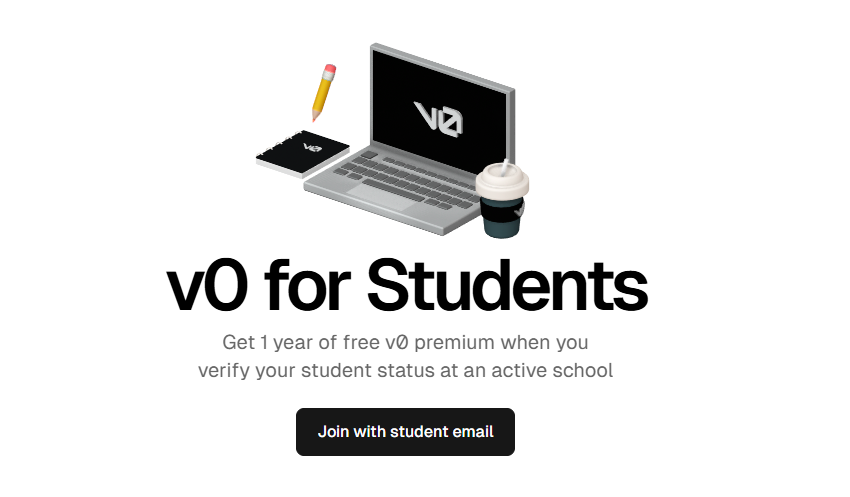
Why v0 is a Game-Changer for Student Developers
The academic landscape for developers is competitive. v0 for Students offers specific advantages that go beyond simple code generation.
1. Accelerating the Learning Process
Many students struggle with the steep learning curve of CSS frameworks and component libraries. By observing how v0 structures components using Tailwind classes, students can reverse-engineer professional-grade code. It serves as an interactive tutor, demonstrating exactly how to center a div, create a responsive grid, or manage state within a complex form.
2. Crushing Hackathons
In a hackathon, you have 24 to 48 hours to ship a product. Spending 10 hours on UI design is a recipe for failure. With v0, you can generate a sleek, functional dashboard or landing page in minutes. This allows the team to focus on backend logic and core functionality, giving you a competitive edge.
3. Professional Portfolio Building
Recruiters look for clean, usable interfaces. A project with a broken UI often gets dismissed, regardless of how good the backend is. Using v0 dev tools ensures your student portfolio looks like it was built by a senior frontend engineer.
“Generative AI tools like v0 are expected to reduce frontend development time by up to 60%, allowing developers to focus on architecture and logic.” — State of AI in Software Development, GitHub/Forrester Report, 2024
Navigating the V0 Student Plan and Pricing
One of the most common questions is regarding the V0 student pricing and availability. As students, budget is often the primary constraint when selecting development tools.
Is there a V0 Student Discount?
Currently, Vercel (the parent company of v0) is known for its generous Hobby tier, which is free for personal, non-commercial use. This is effectively the V0 student plan for most users.
- Hobby Tier: Ideal for individual student projects, portfolios, and learning. It typically includes a generous allowance of credits for generation.
- Pro Tier: Required if you are collaborating in teams or exceed the generation limits.
While a specific, standalone “V0 student discount” might vary based on seasonal offers or partnerships (such as through the GitHub Student Developer Pack), the base offering is highly accessible. Students should keep an eye on official announcements for specific V0 student program expansions that may offer Pro features at reduced rates.
How to Use v0 for Your Student Projects
To truly benefit from v0 for Students, you need to integrate it into your workflow effectively. Here is a step-by-step approach.
-
Conceptualize and Prompt
Start with a clear idea. Instead of asking for “a website,” be specific.
Bad Prompt: “Make a finance app.”
Good Prompt: “Create a dark-mode dashboard for a student finance tracker with a sidebar navigation, a chart area for monthly expenses, and a recent transactions list using Shadcn UI cards.” -
Iteration
The first result is rarely perfect. Use the chat interface to refine the output. You might ask, “Make the sidebar collapsible” or “Change the accent color to blue.” This iterative process is where the real power of v0 dev lies.
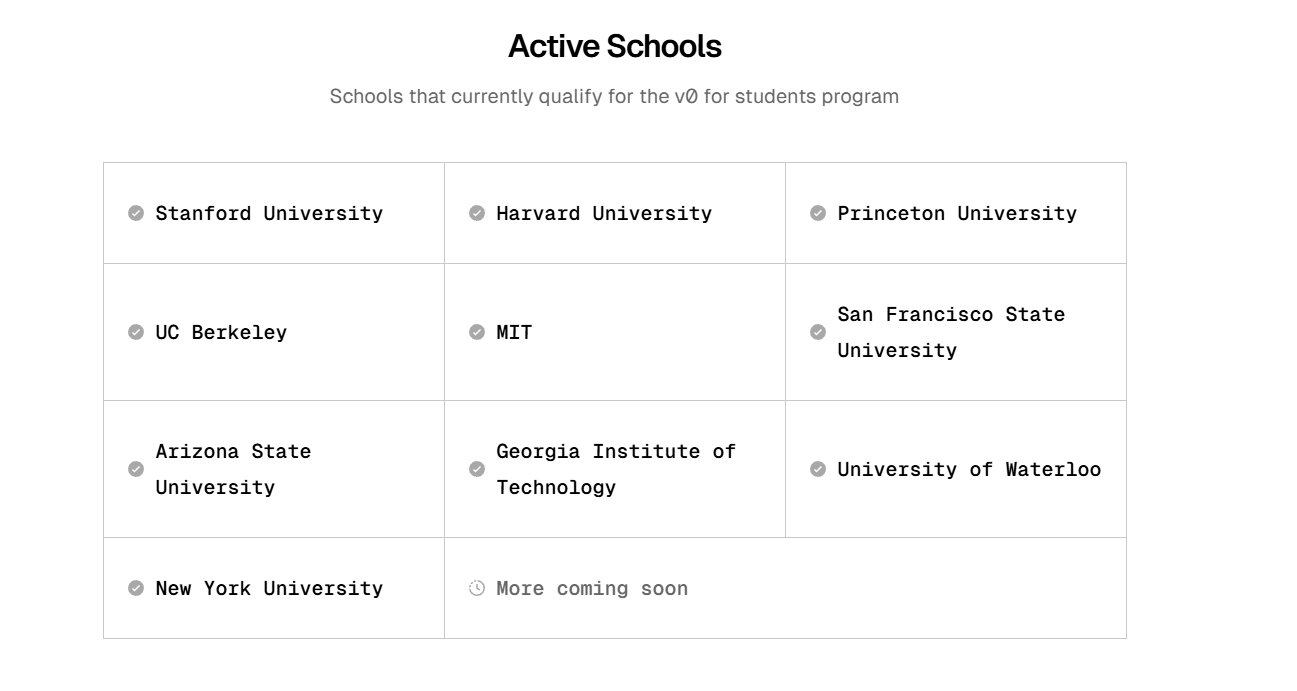
v0 generates clean, semantic code that students can easily integrate into projects. -
Integration
Once satisfied, you can use the
npx v0 addcommand in your terminal to pull the component directly into your codebase. This seamless integration is what makes v0 by Vercel superior to copy-pasting from standard LLMs.
V0 vs. Competitors: What Students Should Know
When looking for AI coding assistants, you might encounter various options. However, v0 stands out for frontend specialization.
| Feature | v0 by Vercel | Standard LLMs (ChatGPT/Claude) |
|---|---|---|
| Output | Rendered UI + Code | Text/Code Block Only |
| Tech Stack | React/Tailwind/Shadcn | Generic/Mixed |
| Integration | CLI Command (npx) | Manual Copy-Paste |
| Focus | Visual/UI Structure | General Logic |
For a student focused on web development, the specialized nature of v0 provides a more targeted learning experience compared to generalist models.
Real-World Application: The “Hola Prime” Example
Consider a hypothetical scenario where a student needs to build a website for a “Prop Firm Competition” like the “Hola Prime” project.
- The Challenge: Build a high-conversion landing page with pricing tables and countdown timers.
- The Traditional Way: Spend 3 days coding HTML/CSS from scratch.
- The v0 Way: Prompt v0 to “Create a high-contrast hero section for a trading competition with a gold and black theme.”
- Result: The student creates the frontend in 2 hours and spends the rest of the week refining the backend logic.
This efficiency is why we strongly recommend you Create your Free Account and start experimenting today.
Technical Deep Dive: Learning Modern Stacks
One of the hidden benefits of the v0 student program usage is exposure to the “Vercel Stack.” The industry is moving heavily toward React Server Components and utility-first CSS (Tailwind).
By analyzing the code v0 outputs, you are essentially reading a textbook on modern best practices. You will see how flexbox and grid are utilized in real-world scenarios, and how components are broken down into reusable parts.
Furthermore, integrating these tools prepares you for the professional environment. According to the 2023 Stack Overflow Developer Survey, React and Tailwind are among the most loved and used technologies by professional developers.
Conclusion
v0 for Students is more than just a shortcut; it is a catalyst for growth. It democratizes access to high-end UI design, allowing student developers to build applications that look and feel professional without needing years of design experience. Whether you are looking for a V0 student discount or simply utilizing the robust free tier, the value provided is immense.
By leveraging v0, you can focus on solving complex problems rather than fighting with CSS margins. As the technology landscape evolves, mastering AI-assisted development will be a crucial skill for your future career.
Don’t let your great ideas get stuck in bad UI. Start building smarter today.
Back to Our Homepage | [INTERNAL LINK: Guide to v0 for Students – https://v0ai.dev/v0-for-students-guide]
Ready to Code Faster?
Join the next generation of developers building with AI.
Register for v0 Now